

CUSTOM JEWELRY RFQ GUIDE
Prepare an RFQ for Your Custom Jewelry Project
Organize your design references, specifications and quantities for a clearer quotation. Share what you know—we can help review the details that are still undecided.
Start with These 5 Essentials
You do not need a complete technical pack to begin. These five details help us understand your project and identify the next questions.
Product Reference
Show us what you want to make with a photo, sketch, drawing or product link.
Order Quantity
List the quantity for each design and color. State pieces, pairs or sets.
Delivery Destination
Tell us the destination country. Add the city and postal code if you need a freight estimate.
Required Arrival Date
Share your preferred arrival date, or let us know if your schedule is flexible.
Contact Details
Include your name, email and company or brand name, if applicable.
Some details undecided? Mark them as “Not sure yet” and tell us where you need advice.
Add the Details That Shape Your Quote
More specific requirements help us review manufacturing options and clarify what the quotation should include.
Design & Dimensions
Specify the product type, overall dimensions, thickness and important construction details. Include units and identify any features that must remain unchanged.
Materials & Decorative Elements
List the preferred base metal and any Crystal, CZ, pearl, natural stone, resin, acrylic or leather components. Mark undecided materials for review.
Color & Surface Finish
Describe the desired metal color and texture. Add a reference image or physical color sample if available, and specify coating requirements where known.
Quantity & Size Breakdown
Separate quantities by design, color and size. If you want price tiers, list the quantities you would like us to quote.
Branding & Packaging
Identify logo placement, marking requirements and packaging preferences. State whether you need individual packing, jewelry cards, pouches or boxes.
Budget, Testing & Delivery
Share an optional target unit cost with its currency and inclusions. Add the selling market, requested tests, delivery destination and timing requirements.
Compare the complete product cost. Tooling, processing, finishing, assembly and order quantity can change the quotation—not just the raw material.
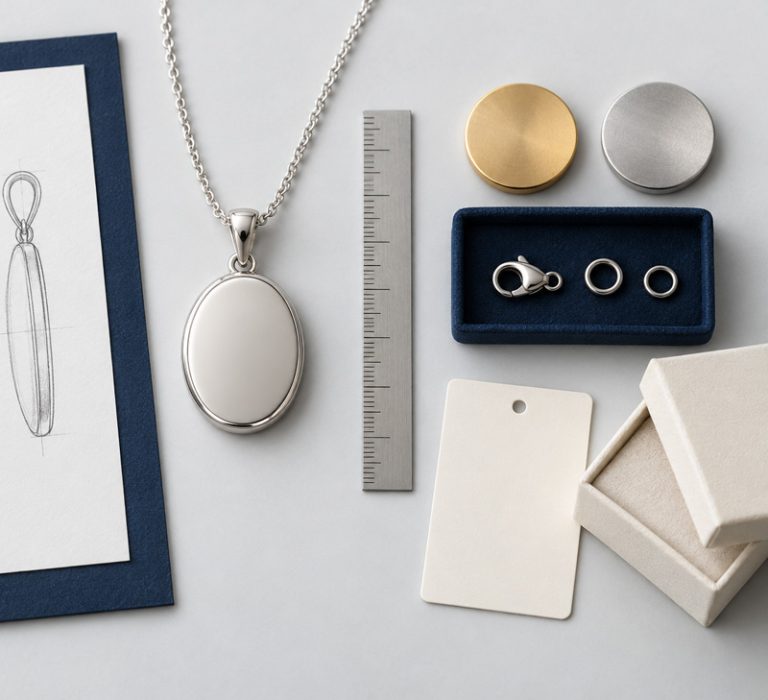
Make Your References Easy to Understand
Show the overall design, then highlight the details that matter. Explain which features to keep and which to change.
Show Multiple Views
Include front, side and back views where construction or thickness matters.
Mark Key Dimensions
Add units and explain how each measurement is taken. For chains, specify whether the stated length includes the clasp.
Identify Changes Clearly
Mark the details you want to keep, remove or modify. Give each design a unique reference code.
Keep Files Consistent
Use the same design code in your images, specification sheet and quantity list. Include a revision date when updating files.
What a Clear RFQ Looks Like
This fictional example shows how to organize one design. It is not a quotation or a confirmed production specification.
| Field | Example |
|---|---|
Design Reference |
N001 — Oval Pendant Necklace |
Design Files |
Front and side reference images attached |
Material Base |
316L stainless steel; please review feasibility |
Pendant Dimensions |
20 × 15 mm, excluding the bail; thickness to be advised |
Chain Length |
450 mm including clasp, plus a 50 mm extender |
Finish |
Polished gold-tone finish; please advise a suitable coating specification |
Quantity |
100 pcs in one color; also quote 300 pcs |
Branding |
Logo on the back; artwork and placement reference attached |
Embalaje |
Please quote individual bags and branded cards separately |
Destination |
United States; delivery postal code to follow |
Required Arrival |
Preferred arrival date to be confirmed |
Testing |
Please identify proposed tests and quote any testing charges separately |
Quotation Request |
Please itemize unit price, development, tooling, samples, packaging and freight |
One design, one reference code. List each color and size separately so quantities are clear.
Put Your Project Details in One Place
Use the RFQ template to keep design references, specifications and quantities together. For a collection, add a separate line for each design, color and size combination.
Project Overview
Product Specifications
Quotation Checklist
What Happens After You Send Your RFQ?
Initial estimates may change when specifications are revised. Confirm the quotation scope and approved requirements before placing an order.
1. Review the Brief
We review the information provided and identify any missing details or feasibility questions.
2. Clarify the Quotation Scope
Materials, construction, quantities and requested services are clarified so the quotation has a defined scope.
3. Agree on Development Steps
Where development is required, confirm sample, drawing or tooling costs and the next approval steps before proceeding.
Preguntas frecuentes
Can I submit an RFQ without CAD drawings?
Yes. Start with clear images or sketches and explain the main requirements. Drawing or development needs can be reviewed during the discussion.
What if I have not chosen the material or finish?
Mark those fields as “Not sure yet.” Describe your priorities, such as appearance, weight, intended use and target cost.
Can I request quotations for several designs?
Yes. Give each design a reference code and separate the quantities by color and size. Keep the same codes across your files.
Does submitting an RFQ place an order?
No. An RFQ begins a quotation discussion. Order details, costs and approvals need to be confirmed separately.
Ready to Share Your Project?
Send the essentials now, or attach your completed RFQ. Let us know which details need further discussion.